Building an AI Email Summarizer
I have a problem with email. Not in the "I need to check my inbox obsessively" way, but in the "I have 50 unread emails and no idea which ones actually matter" way.
Every morning started the same. I'd open Gmail, see a wall of unread messages, and feel that familiar sense of dread. Newsletter subscriptions I forgot about. Security alerts from services I barely use. Actual important messages buried somewhere in the middle. The mental overhead of just figuring out what needed my attention was exhausting.
I tried the usual solutions. Filters helped a bit, but they were rigid and high-maintenance. Gmail's priority inbox was okay but not smart enough. I considered hiring a virtual assistant, but that felt like overkill for what should be a solvable problem. What I really wanted was simple: wake up, see a clear summary of what happened overnight, and know exactly what needed my attention.
So I built it myself.
Figuring Out the Approach
The core idea was straightforward. Every night, the system would fetch my unread emails, run them through an AI to summarize and prioritize them, then send me a clean digest. Simple on paper, but the details mattered.
I knew I wanted this containerized with Docker. I run several services on a VM already, and Docker makes deployment predictable. No dependency hell, no "works on my machine" problems. Just build, deploy, run.
For the email handling, I went with Node.js and IMAP. Gmail's IMAP access is well-documented, and Node has solid libraries for email parsing. I could have used Python, but I'm more comfortable with Node's async patterns, and that matters when you're building something you'll actually maintain.
The AI piece was the interesting part. I needed an LLM that could read emails and extract what mattered. I went with OpenRouter because they aggregate multiple models and have a free tier. I started with Llama 3.3 70B, which is surprisingly good at understanding context and being conservative with urgency labels. That last part was crucial, most AI systems want to mark everything as important. I needed one that would tell me the truth.
How It Actually Works
The system runs as a scheduled task inside a Docker container. Every night at 11:59 PM, it kicks off the workflow.
First, it connects to Gmail via IMAP and pulls all unread emails from the past 24 hours. It parses each one, subject line, sender, body content, and extracts the core information.
Then comes the AI magic. For each email, it sends the content to the LLM with a carefully tuned prompt. The prompt tells it to be conservative with urgency, write one-sentence summaries, and only flag action items if there's actually something to do. The AI returns a priority level (1-4) and a concise summary.
The system does some smart grouping too. If I get five security alerts from Google, it clusters them into one line: "5 similar emails: Security alert for sign-in." No need to see the same thing repeated.
Once everything's processed, it generates an HTML email with a "Quick Take" at the top. That's the section I actually read every morning. It tells me: X time-sensitive items, Y things worth reviewing, Z informational updates. If there's nothing urgent, it says so explicitly. Promotional emails get shoved to the footer where they belong.
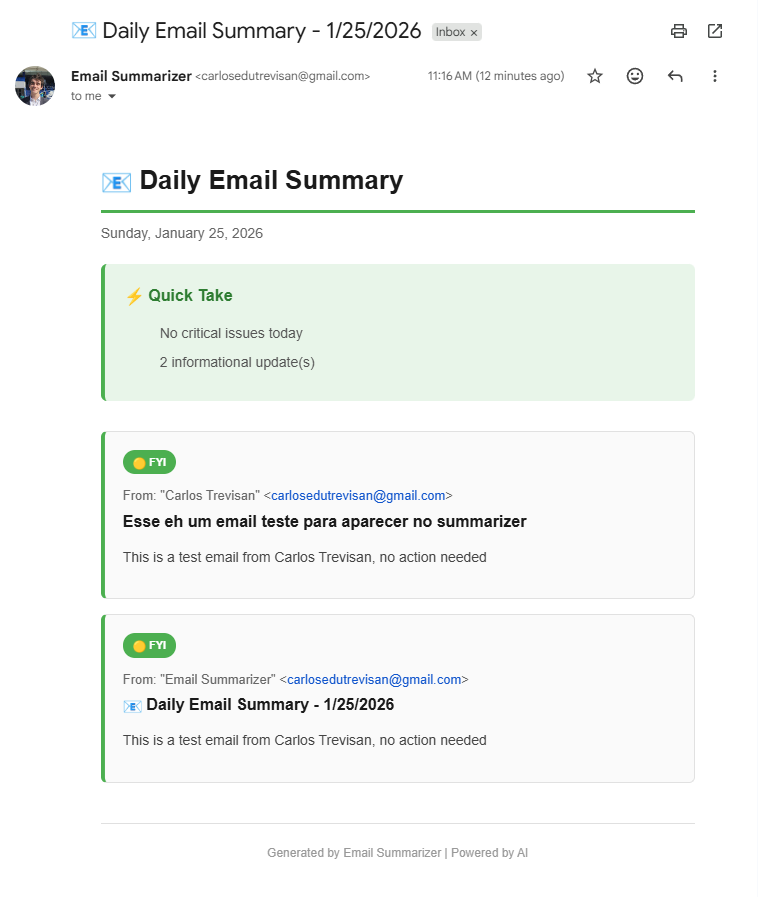
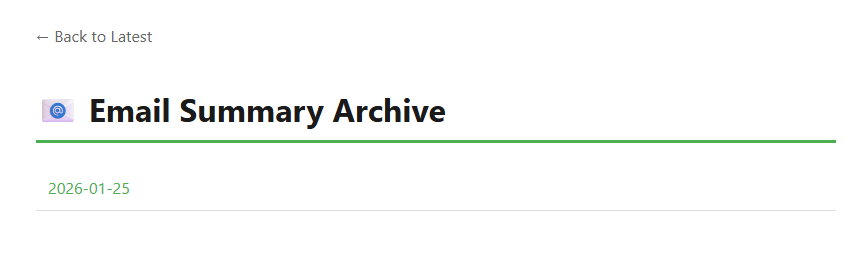
The summary gets sent to my inbox and also saved to a web server running on port 3000. That way I can check it from my phone or share it with my personal website. Basic authentication keeps it private.
If I need a summary outside the daily schedule, I just run a command: ./summarize.sh. It processes everything immediately and delivers the digest.
What I Learned
The biggest lesson was that prompt engineering matters more than model selection. My first attempts had the AI marking every newsletter as urgent. Tweaking the prompt to say "default assumption: most emails are informational" made all the difference.
I also learned that good defaults beat configuration options. I could have made everything customizable, but that's how projects die. Instead, I made opinionated choices that work for me and kept the config minimal.
The system's been running for a few weeks now, and my morning routine has changed. I wake up, open the summary, scan the Quick Take in ten seconds, and know exactly what needs attention. Most days, the answer is "not much." That's the point.
If you want to check out the code or deploy your own version, it's all on my GitHub. Fair warning: you'll need a Gmail app password and an OpenRouter API key, but both are free to set up.
Sometimes the best solutions are the ones you build for yourself.
Privacy Note: OpenRouter has zero data retention (ZDR), your emails aren't stored or used for training.